Selecting the right accounting software that best matches your needs is one of the most important decisions for your small business. The careful selection of the accounting software right in the beginning can save you tons of time and money associated with the transition to another accounting software later. As an experienced CPA, I have tested various accounting software programs based on comprehensive criteria to recommend the best options.
My Rankings:
1. QuickBooks – Best Overall
2. Zoho Books – Best for Highly Customized Accounting
3. ZarMoney – Best Value for Money
4. Wave – Best Free Accounting Software
My Testing Criteria
- Ease of Use.
- Ability to connect the bank accounts for automatic feeds.
- Any unique features.
- Degree of automation.
- Customer Support.
- Pricing.
- Visualizations.
1. QuickBooks (Best Overall)
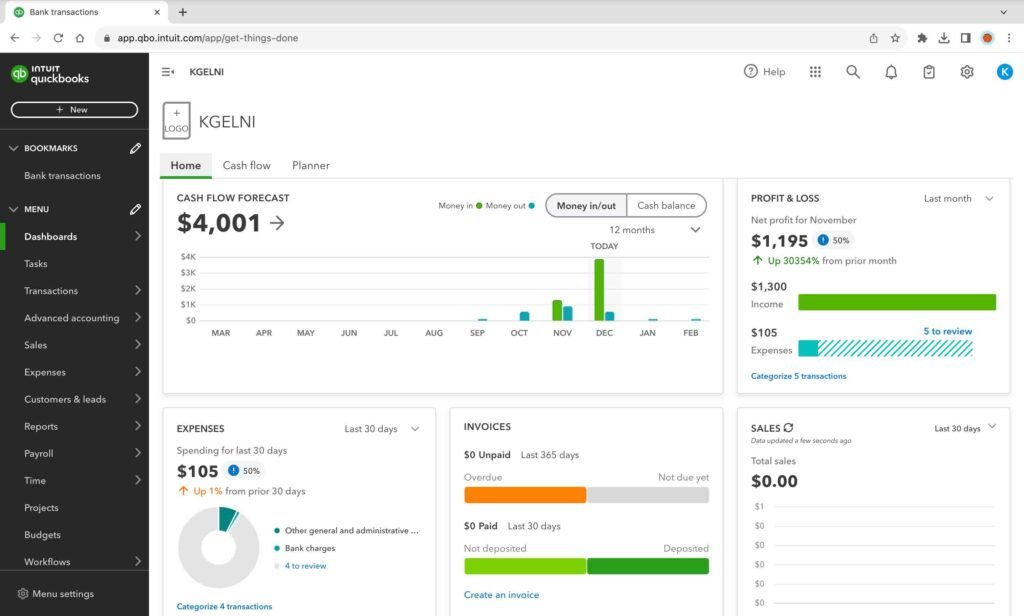
Quickbooks is one of the most popular names in the world of accounting and bookkeeping software programs. It offers four plans: Easy Start, Essentials, Plus, and Advanced.
Key Features:
■ Bank and Credit Accounts Linking
You can connect your bank accounts and credit cards to the software, and it will automatically import all the financial transactions into your Quickbooks account at the click of a button. Furthermore, it automatically detects and assigns categories to the identified bank transactions. These automatically assigned categories are editable. The unidentified transactions are tagged as “uncategorized”, which you can update manually. Additionally, the software learns from the initial categorization of transactions and automatically applies the right categories to subsequent transactions. This is one of the most convenient features because you need to connect to the bank account once, and any subsequent transactions will be updated automatically in the QuickBooks account. Alternatively, you can also manually upload the Excel bank transaction file.
■ Invoices or Estimates Creation
You can easily create invoices by selecting the customers already set up in the system from the drop-down menu. Once you select the customer, the customer shipping address and email ID on the invoice will be automatically updated. Furthermore, you can easily select the products or services to be included in the invoice from the pre-defined list of products already set up in the software. You can also add new customers and products while creating the invoice itself. Additionally, you can email the invoice to your customers at the click of a button. Once the invoice is generated, the payable balance for that specific customer will be automatically adjusted.
Estimates can also be sent in a similar way as invoices. These estimates can be easily converted into invoices. Last but not least, you can create invoices and estimates with both the online software and the mobile app.
■ Automatic Mileage Tracking
You can conveniently track mileage with the mobile app, which automatically records the mileage of your journey with GPS. This can save time spent on manual logbooks.
■ Check Payments
Quickbooks offers its own checks that you can print and send to the suppliers for payment.
■ Bank Rules
You can set bank rules to categorize bank transactions into certain categories based on the description of the imported transactions.
■ Tagging
You can tag transactions and expenses for tracking purposes. The software will present a summary of transactions that bring in the most money and will also display the top expenses.
■ Tax Setup
The software will identify the correct sales tax rates based on your region and will also prepare the necessary tax documents for regulatory filing with relevant tax authorities.
■ Reports
You can generate a comprehensive range of reports with QuickBooks relating to business overviews, customers, suppliers, expenses, and more.
■ Custom Reports
You can create custom reports with a variety of filters for additional analysis.
■ Visualizations
The software offers a performance center dashboard that presents various performance charts relating to revenue, expenses, gross profit, cashflows, and many other metrics. Furthermore, you can also create your own customized performance chart for a variety of account and income balances.
■ Recurring Transactions (Essential, Plus, and Advanced Plans Only)
You can create recurring transactions at daily, weekly, monthly, or yearly frequency for a variety of documents, such as invoices, bills, journal entries, credit memos, refunds, purchase orders, and more.
■ Inventory Management (Plus and Advanced Plans Only)
You can track products and the cost of goods sold, receive notifications when inventory is low, create purchase orders, manage vendors, and import inventory data from an Excel file or by synchronizing with your Amazon, Shopify, and Etsy Stores.
■ Project Tracking (Plus and Advanced Plans Only)
You can track project costs and time with the project tracking feature to assess the overall profitability.
■ Invoice and Bill Approval Workflows (Advanced Plan Only)
You can create invoice and bill approval workflows with a variety of rules.
■ Reminder and Recurring Statement Workflows (Advanced Plan Only)
You can set up reminder rules for various purposes, such as payment due to the supplier, unsent invoice reminders, invoice approval reminders, payment due reminders for customers, and more. Furthermore, you can also send recurring statements to customers at the chosen frequency.
■ Invoice Batch Processing (Advanced Plan Only)
You can create and send multiple invoices in bulk with the batch processing feature. Additionally, you can also duplicate the same invoice for a number of customers.
■ Multi-currency Support (Essential, Plus, and Advanced Plans Only)
You can invoice and record transactions in different currencies. Furthermore, you can assign different default currencies to your customers.
■ Payroll (Add-On)
You can set up payroll for your employees and give them access to the paystubs. Furthermore, you can also set up payroll taxes to be remitted to the tax authorities.
Pros:
- Various automated features ease the bookkeeping process, such as bank accounts and credit card linking for real-time transaction updates, automatic identification of categories of imported transactions, and automatic mileage tracking.
- Extensive range of visualizations and reports to assess your business health.
- High flexibility in reports’ customization.
- Reliable customer support.
Cons:
- Expensive pricing if you need to access advanced features. Features like project accounting and inventory tracking are only available starting Plus Plans, which costs $90 per month.
Link to the site: Quickbooks
2. Zoho Books (Best for Highly Customized Accounting)
Zoho Books is an online accounting software that offers seven different types of plans: Free, Standard, Professional, Premium, Elite, and Ultimate.
Key Features:
■ Invoice and Estimates Creation
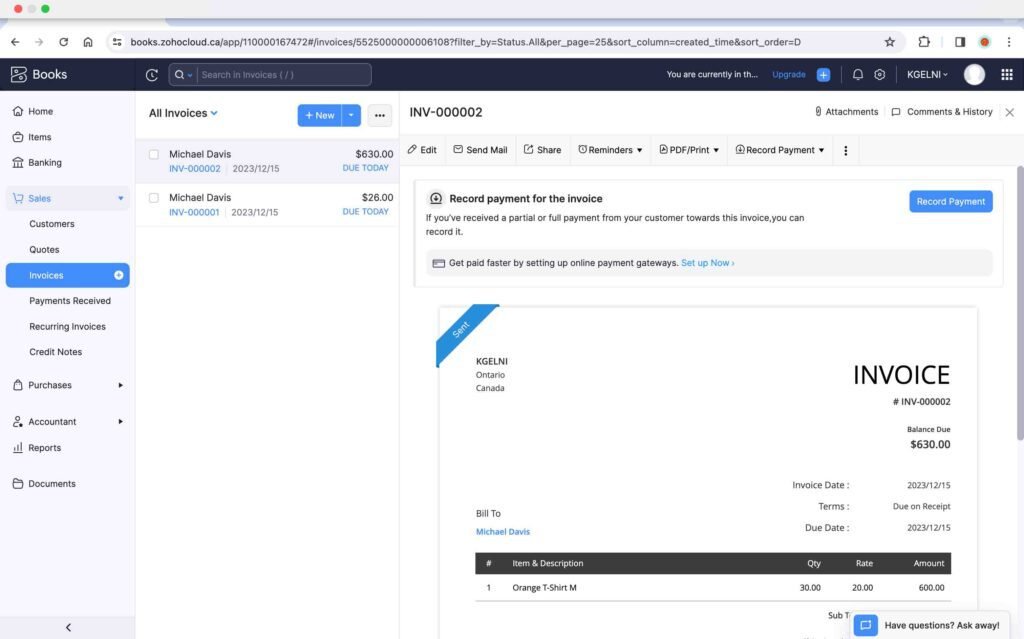
You can easily create an estimate or invoice by selecting the customer name and products and services from the drop-down menu, which pulls the data from the customer and item databases that you can set up before creating the invoice. Furthermore, you can incorporate the pay button within the invoice itself. You can choose a payment gateway from a variety of options, such as PayPal, Square, Wepay, and more. When a customer makes the payment, the software will mark the invoice as paid, and a payment receipt will be automatically created. Additionally, you can convert an estimate into an invoice at the click of a button. Last but not least, you can also check the option to automatically convert an estimate into an invoice whenever the estimate is approved by the customer.
■ Auto Charge
You can set up recurring invoices and charge customers automatically if they provide an initial authorization.
■ Project Tracking ( Professional Plan Onwards)
You can set up a project and track its cost and overall time. It also has a timesheet approval feature where you can get timesheets approved by your customer before invoicing hours.
■ Multicurrency Transactions ( Professional Plan Onwards)
You can send invoices in different currencies and assign default currencies to your customers. The software will convert customer payments made in different currencies into your base currency to reflect in the reports.
■ Customization
- Custom Fields: You can add custom fields for your customers, for example, membership IDs. You can also encrypt these fields. This encryption feature is specifically useful for confidential information, for instance, a health card number. Additionally, you also have the option to add these custom fields to the invoice.
- Custom Views: You can set up custom views to filter certain transactions that meet specific criteria.
- Custom Statuses: You can create custom statuses to track the status of a transaction.
- Custom Buttons: You can add custom buttons to business documents to automatically record specific transactions.
- Tagging: You can assign tags to transactions or customers; this allows for generating reports by a specific tag.
- Template Customization: You can choose from a variety of templates for documents, such as invoices and credit notes. Furthermore, you can edit all aspects of the selected template, such as the header, font size, color, table, footer, and more.
■ Reports ( Professional Plan Onwards)
There is a wide range of reports for internal assessment and external reporting.
■ Workflows ( Professional Plan Onwards)
You can set up workflows to trigger e-mail alerts. Additionally, you can also set up payment reminder workflows for your customers.
■ Transaction Approval ( Professional Plan Onwards)
You can set different levels of approval for sales and purchase transactions.
■ Tax Setup
The software integrates with the Avalara app to automatically calculate the sales tax based on the customer’s location.
■ Inventory Tracking
The software also offers inventory tracking that keeps track of inventory units on hand and their valuation.
■ Client Portal
You can create a client-specific portal for a customer, which will enable your customers to view all documents, such as estimates and invoices, in one centralized location. They can add the payment method, edit the shipping address, approve estimates, access invoices, and review the payment history. They can also view project details, such as billed and unbilled hours and a list of tasks.
■ Recurring Transactions
You can set up the following recurring transactions at any defined frequency:
- Recurring Invoices (All Plans)
- Recurring Expenses (Standard Plan Onwards)
- Recurring Bills and Journals (Professional Plan Onwards)
■ Bulk Update (Standard Plan Onwards)
You can search for specific transactions based on criteria, such as the account name, contact, date range, and amount range, and make bulk updates to the account names of these transactions.
■ Digital Signature (Premium Plan Onwards)
You can set up digital signatures with the Zoho Sign app to sign documents, such as invoices and estimates.
■ Multiple Branches (Elite and Ultimate Plan)
You have the option to add multiple branches and manage transactions across all the branches. Furthermore, you can keep track of each branch’s performance.
Pros:
- Offers a completely free plan with basic features.
- Offers a wide range of customization options; for instance, there is an option to add various custom fields to the invoice.
- Wide range of reports for assessing business health.
Cons:
- Learning curve because of too many features.
Link to the site: Zoho Books
3. ZarMoney (Best Value for Money)
ZarMoney is an online accounting and bookkeeping software that offers three types of plans: Entrepreneur, Small Business, and Enterprise.
Key Features:
■ Invoice and Estimate Creation
The invoice and estimate creation process is similar to any other accounting software. The software provides a list of customers and items in the drop-down menu to select from. This list of customers and items is based on the imported data. Alternatively, you can manually add these details to the invoice if they are not yet entered into the system.
■ Bank Accounts Linking
You can connect your bank accounts and credit cards for automatic bank feeds.
■ Inventory Tracking
The inventory tracking feature provides insights into the quantity on hand, the sales price, and the value of any inventory item.
■ Reports
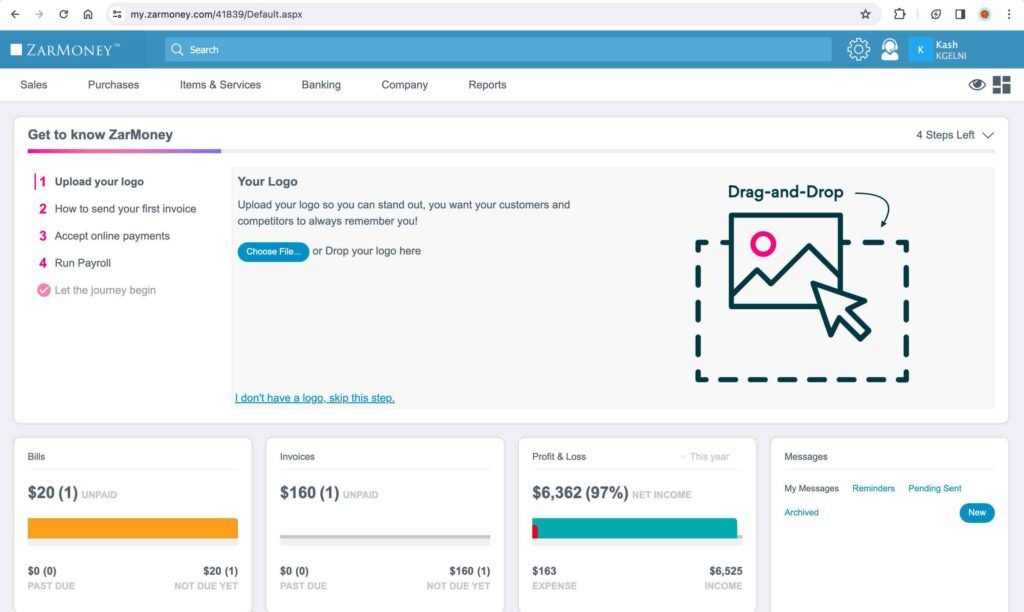
There is an extensive range of reports related to insights, company and financials, customers and receivables, vendors and payables, and inventory.
Pros:
- Extensive range of reports to assess the business.
- Inexpensive pricing, with the single-user plan at $15 per month, which covers all the features.
Cons:
- No option for project accounting.
Link to the Site: ZarMoney
4. Wave (Best Free Accounting Software)
Wave is an online accounting and bookkeeping software. It offers most of its features for free. The software is primarily designed for businesses operating in the US and Canada.
Key Features:
■ Invoice and Estimate Creation
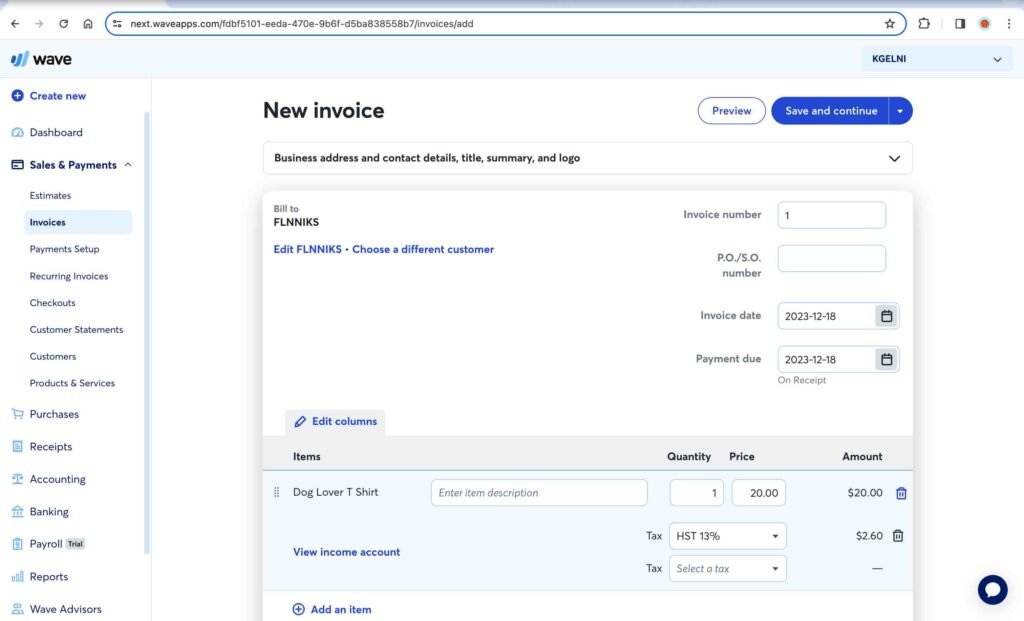
The invoice and estimate creation process is simple and similar to any other accounting software. You can add customers and items to an invoice from the drop-down lists based on the customer and product and service data you entered into the software. If you have not added these details, you can easily add them while creating an invoice.
■ Bank Accounts Linking
You can connect your bank accounts to the software for automatic banking feeds.
■ App
The software also offers an app, which can be used to create invoices, estimates, customers, and products. You can also scan receipts and record expenses accordingly. The scan receipt feature is only available in paid plans.
■ Payroll (Paid Plan)
You can set up employees and pay schedules. Furthermore, you can pay employees directly through direct deposit and prepare regulatory tax documents to be submitted to relevant tax authorities based on your jurisdiction.
■ Reports
Various reports related to financial statements, taxes, payrolls, customers, vendors, and other detailed reports can be generated for external reporting as well as internal assessment.
Pros:
- Most of the features can be accessed for free.
- Easy to use with a lower learning curve.
Cons:
- Specific to the US and Canada.
- Limited reports for business assessment. Lacks advanced reports, such as business performance ratio reports, financial statement comparisons, statements of changes in equity, inventory valuation summaries, etc.
- Lacks advanced features, such as the credit note, supplier credit, and inventory tracking.
- Suitable for basic accounting work only. Not recommended for businesses with complex bookkeeping requirements.
Link to the Site: Wave
5. Xero
Xero is an online accounting and bookkeeping software offering three plans: Starter, Standard, and Premium.
Key Features:
■ Bank Accounts Linking
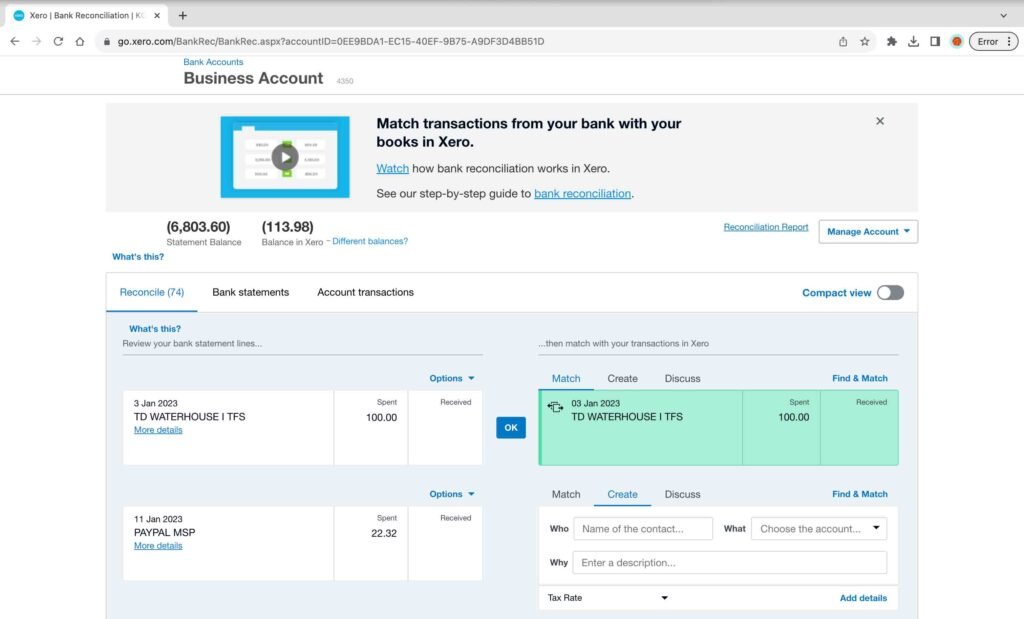
You can link your business bank accounts and credit cards; the new transactions will be updated daily. You can then match and reconcile these imported transactions with receipts, invoices, and other relevant documentation. Alternatively, you can manually import your bank transactions by uploading the transaction statement.
■ Inventory Tracking
You can also track inventory items, including the details of each sale and purchase transaction, quantity on hand, average cost, and total value.
■ Invoice Creation and Customization
The invoice interface contains the drop-down list for customers and products and services, which are being pulled from the customer and product and service databases already set up in the system. Once you select the product or service, it will automatically update the price and calculate the taxes on the invoice. Furthermore, you can create new customers or items while preparing the invoice itself, and it will automatically get updated in the product and service list. Additionally, you can customize the branding theme of your invoice, add a logo, and include a “Pay Now” button in the invoice.
■ Money Tracking
You need to reconcile each imported transaction to the appropriate category, and the software will provide a snapshot of the top accounts with considerable dollar amounts. Furthermore, you can also add budgets to track the actual amounts.
■ Bill Tracking
You can create bills and manage them with various features; for instance, you can set the planned payment dates. Furthermore, you can create batch-processing files for uploading to your bank.
■ Payroll
You can set up and send out payslips and pay your employees individually or through a batch payment.
■ Tax Reporting
You can access tax reports, such as HST/GST tax returns and sales tax reports, for tax filing.
■ Financial Reports
There are a variety of reports related to financial performance, financial reporting, taxes, payables, receivables, and more. Furthermore, these reports are customizable for various metrics; for instance, you can specify the date range for these reports.
■ Recurring Invoices and Bills
You can set up recurring invoices and bills at a monthly or weekly frequency.
■ Expense Claims Management (Billed Separately)
You can set up the designated approver of expense claims. The employees can use these expense forms to submit their expenses and mileage claims for approval.
■ Project Tracking (Billed Separately)
You can track project costs and time using the project tracking feature.
Pros:
- Various visualizations to provide an overview of your business performance.
- Extensive range of reports for internal assessment and external reporting.
Cons:
- Slow in loading.
- During the testing, the bank account could not be connected.
- No option in the software to pay the bills directly.
- Limited video training materials.
Link to the Site: Xero
6. Sage Accounting
Sage Accounting is an online accounting software offering three plans: Start, Standard, and Plus.
Key Features:
■ Tax Set-up
You can set up the taxes for each province or state, and the tax rates will be applied automatically to your transactions. Furthermore, you can generate the tax filing documents to be submitted to the relevant tax authorities in your jurisdiction.
■ Bank Accounts Linking
You can connect your business bank accounts and credit cards to the software for daily automatic transaction feeds.
■ Invoice Creation and Customization
You can choose from different invoice templates, add your company logo, and select theme colors. You can easily select the customer name on the invoice from the drop-down list, which is pulled from the customer database already set up in the software, and add the products and services from the drop-down menu, which is pulled from the products and services database already entered in the software. Furthermore, you can also view the invoice timeline, which is very useful for tracking purposes.
■ Reports
You can generate various aggregated and detailed reports for internal analysis and external reporting purposes. Furthermore, you can create customized reports by entering the relevant parameters.
■ Correct Transactions
You can search transactions based on different criteria, such as amount, date, and contact, and make corrections or updates to any number of transactions in bulk.
■ Recurring Transactions (Plus Plan Only)
You can create recurring transactions and invoices, which are ideal for fixed expenses and occur at a defined frequency.
Pros:
- User-friendly interface.
- Invoice timeline that tracks whether an invoice is sent, viewed, and paid.
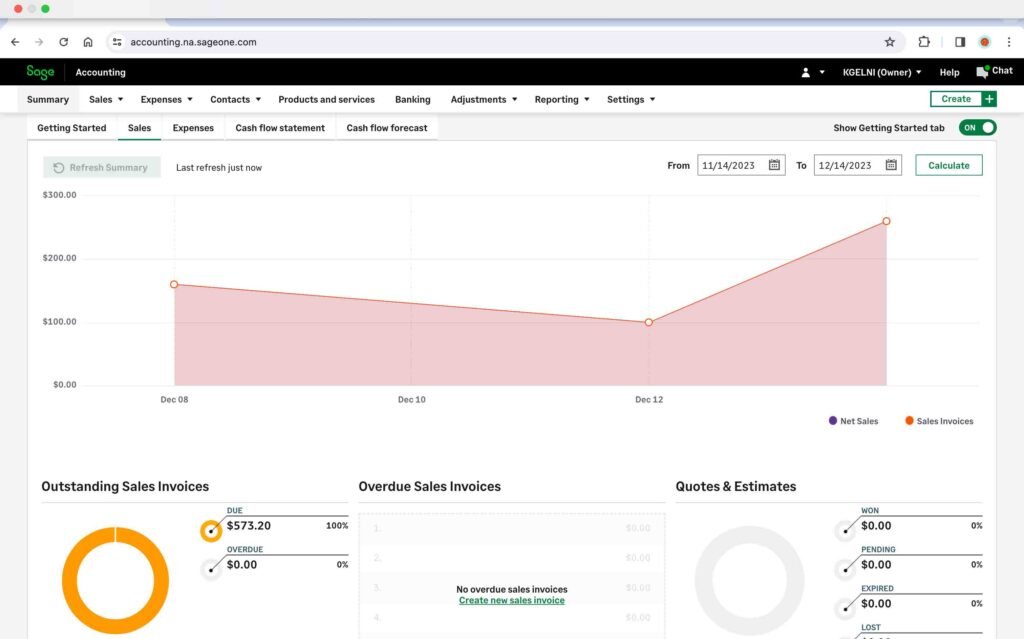
- Various visualizations, such as outstanding sales invoices, sales history, outstanding vendor bills, and more, help assess the overall financial condition.
- Inventory tracking is available in the Plus Plan, which is cheaper than the Quickbooks Plus Plan offering the same feature.
Cons:
- Visual summaries are not updated automatically; the “Refresh Summary” button must be clicked every time an update is made.
- Online customer support needs improvement. Furthermore, the online chat function is not available at all times.
- No option to set up approval workflows, such as invoice approval, in any plan.
- The recurring transaction option is only available in the most advanced plan, i.e., the Plus Plan, which is more expensive than the Quickbook Essentials Plan offering the same feature.
Link to the Site: Sage
7. FreshBooks
Freshbooks is a web-based accounting software primarily designed for small and medium-sized businesses. It offers four plans: Lite, Plus, Premium, and Select.
Key Features:
■ Invoice and Estimate Creation
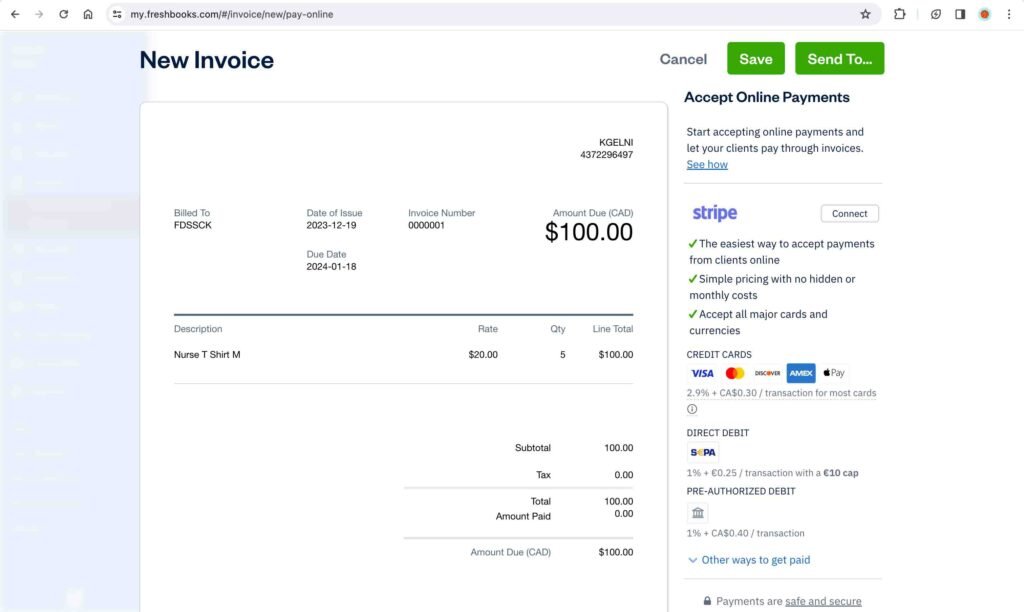
The invoicing process is user-friendly, with the option to add suppliers and products instantly if they are not already set up in the software. Furthermore, you also have the option to create recurring invoices. Additionally, you can automatically send payment reminders and charge late fees on overdue invoices. You can also create estimates and subsequently convert them into invoices with a single click. Last but not least, you can also send retainers to your clients.
■ Time Tracking
You can track time using the built-in timer. Furthermore, you can convert logged time into invoices at the defined rate.
■ Project Accounting (Premium Plan)
You can track project hours with the built-in timer and bill invoices based on the recorded hours. Furthermore, you also have the option to send estimates for a project to the client. You can also access reports for time entry details, expense, profitability, and team utilization of a specific project.
■ Reports
There are various reports, such as invoice and expense reports, payment reports, accounting reports, and project reports, which can be generated and customized.
Pros:
- User-friendly interface.
- Convenient features for project tracking.
Cons:
- During the testing, the bank accounts could not be connected to the software for automatic feeds.
- Lite and Plus Plans have a limit on the number of clients for invoicing.
- Limited reports for business assessment compared to Quickbooks and Zoho Books.
- Taxes need to be manually added to invoices.
Link to the Site: FreshBooks
8. Odoo
Odoo is a web-based accounting software that offers three types of plans: Free (One App), Standard, and Custom.
Key Features:
■ Invoicing and Quotations
The process for creating a quotation or an invoice is straightforward. You get suggestions in the drop-down menu for customers and items already entered into the system. You can always add new customers and items while creating a quotation or an invoice itself. Furthermore, you can also convert a quotation into an invoice.
■ Bank Accounts Linking
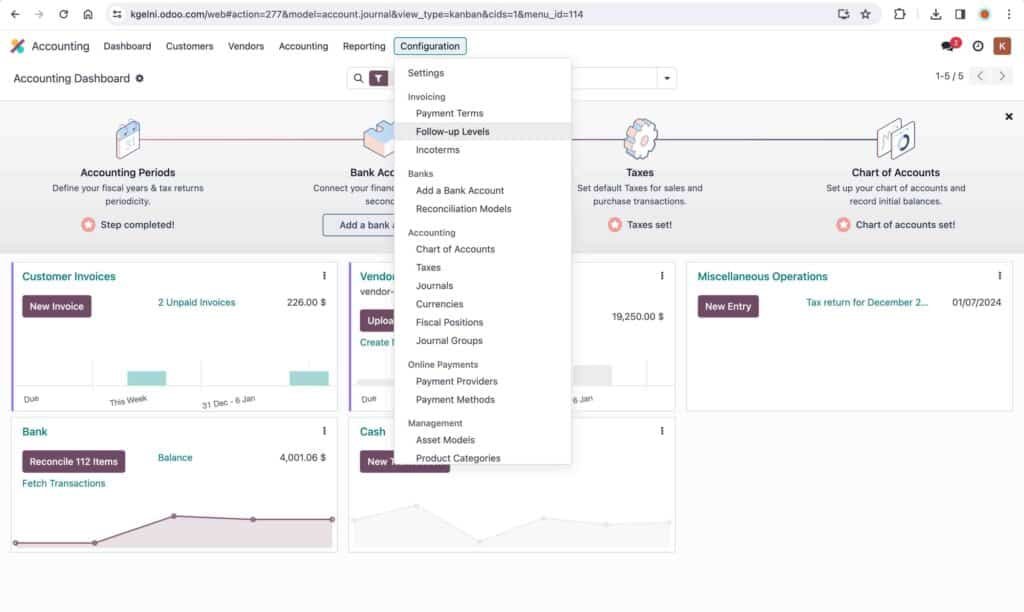
You can connect your bank accounts for automatic banking feeds. You need to reconcile the imported feeds to enter these transactions into the system.
■ Automatic Invoice Digitization
This feature automatically scans and records the key information from vendor invoices and assigns them to categories based on its internal algorithm.
■ Inventory Management
You can track the inventory on hand and its valuation. Additionally, you can also set manual and automatic reordering rules.
■ Reports
You can access financial statements, audit reports, partner reports, and management reports.
Pros:
- Comprehensive inventory management system.
- One app can be accessed for free.
Cons:
- Lack of centralization. Different apps for different tasks make it confusing.
- During the testing, the inventory on hand did not update based on the sales invoice generated.
- Reconciliation of imported bank feeds is tedious and time-consuming; not user-friendly.
- High learning curve.
- Limited reports.
Link to the Site: Odoo
9. ProfitBooks
ProfitBooks is an online accounting and bookkeeping software that offers both a free plan and a paid plan.
Key Features:
■ Inventory Tracking
You can track inventory and add all warehouse locations for a specific product.
■ Invoice and Estimate Creation
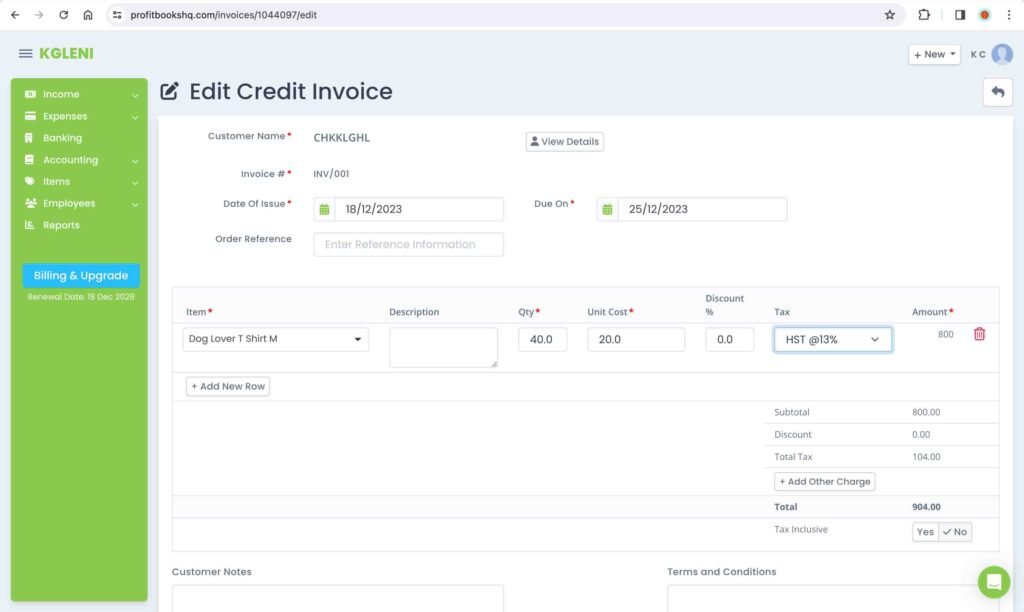
The invoice creation process is similar to that of other accounting software programs. You can select customers and products from the drop-down menu based on the customer, product, and service data inputted into the software. The process for creating an estimate is similar to that of an invoice. Furthermore, the software also provides the option to convert an estimate into an invoice. Additionally, you can customize the appearance of an invoice.
■ Payroll (Paid Plan Only)
The software also offers a basic payroll feature. You can establish the salary structure for each employee and run the payroll.
■ Project Accounting
You can record invoices, expenses, sales orders, purchase orders, and journals relating to any project to track the overall profitability.
■ Reports
There is a wide range of reports, such as sales reports, expense reports, inventory reports, and more. You can quickly generate these reports for business analysis.
Pros:
- Offers a free plan with a limit of 25 invoices per month, 25 products and services, and 100 customers.
- User-friendly interface.
- Paid plan is available at an inexpensive price of $15 per month.
Cons:
- No option to connect bank accounts and credit cards for automatic feeds.
- No option to set up payment gateways for invoices.
- Lacks advanced options, such as approval workflows, tax documents, and reminder rules.
Link to the Site: ProfitBooks
10. ZipBooks
ZipBooks is a simple online accounting software that offers four types of plans: Starter (Free), Smarter, Sophisticated, and Accountant.
Key Features:
■ Invoice and Estimate Creation
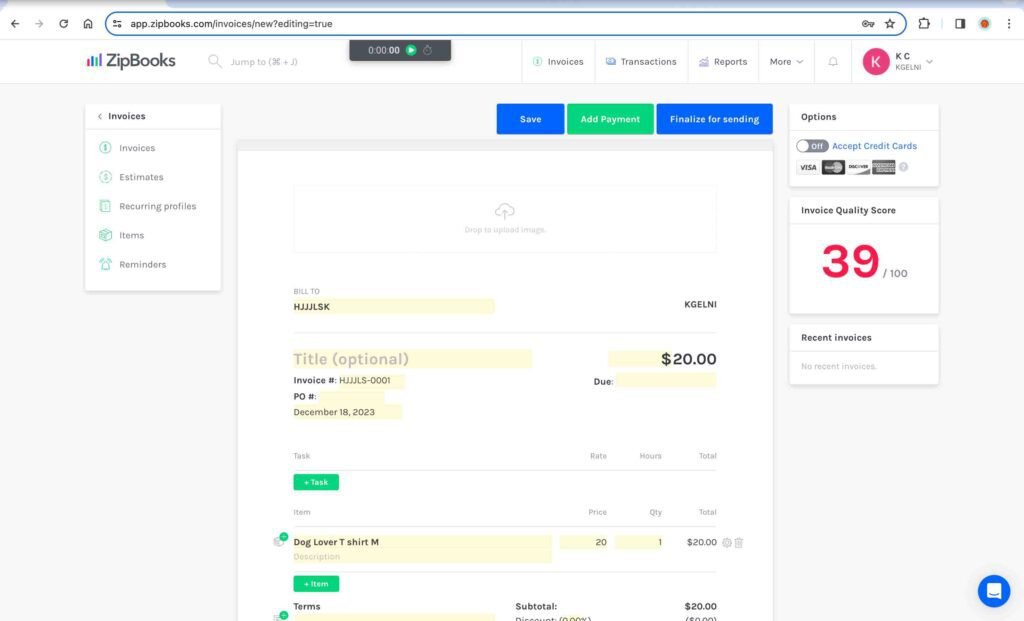
You can set up customers, products, and services in the software and easily create invoices and estimates.
■ Recurring Invoices and Transactions
You can create recurring invoices and transactions at a defined frequency, such as weekly, monthly, and yearly.
■ Time Tracking (Smarter Plan Onwards)
You can set up a project and track time with the built-in time recorder.
■ Payroll
The software integrates with the third-party app Gusto to offer the payroll feature.
■ Reports
The software has various reports related to financial statements, sales, accounting, tax, and expenses.
Pros:
- Offers a free plan.
- User-friendly interface.
Cons:
- During the testing, the invoice could not be created because business verification with customer service was required.
- Not suitable for businesses with advanced accounting needs.
- Lack of video tutorials.
- No option to add sales tax to the invoice.
- Limited reports for internal assessment.
Link to the Site: ZipBooks
11. Kashoo
Kashoo brands itself as the world’s simplest accounting software. It offers only one paid plan and a 14-day free trial.
Key Features:
■ Invoice Creation
The invoice creation process is easy. You can add customers and products from the drop-down list if you have already added them. Otherwise, you can manually add customers, products, and services when creating the invoice. You also have the option to add the “pay button” to the invoice for your customers’ convenience.
■ Reports
The software offers basic financial statement reports and a few other reports for business assessment.
■ Payroll (Add -On)
The software partners with PaymentEvolution, a payroll service provider. You can connect your PaymentEvolution account to Kashoo. This is a paid feature available for $22 per month.
Pros:
- User-friendly interface.
Cons:
- Only suitable for businesses with basic accounting needs. Not recommended for advanced accounting.
- Manual setup of taxes.
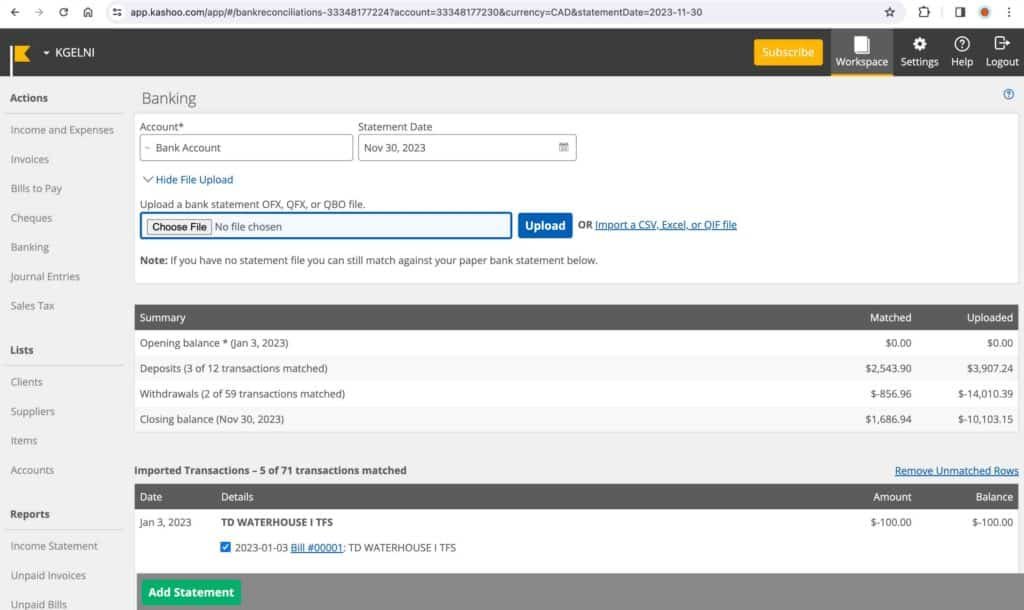
- No option to connect bank accounts for automatic feeds.
- Limited reports for internal assessment.
- Generated reports appear cluttered.
- No option for project accounting.
Link to the Site: Kashoo
12. TrulySmall Accounting
TrulySmall Accounting offers online accounting software for basic accounting work. It offers only one paid plan and a 14-day free trial.
Key Features:
■ Invoice Creation
The invoice creation process is simple and easy to perform. The software provides suggestions for customers based on the imported bank feeds. You can add the product description to an invoice. Furthermore, the software automatically applies the applicable tax rate to an invoice based on your location.
■ Bank Accounts Linking
You can connect your bank accounts for automatic transaction feeds. The software automatically assigns categories to the imported transactions based on the software algorithm. You can review and update these categories as needed.
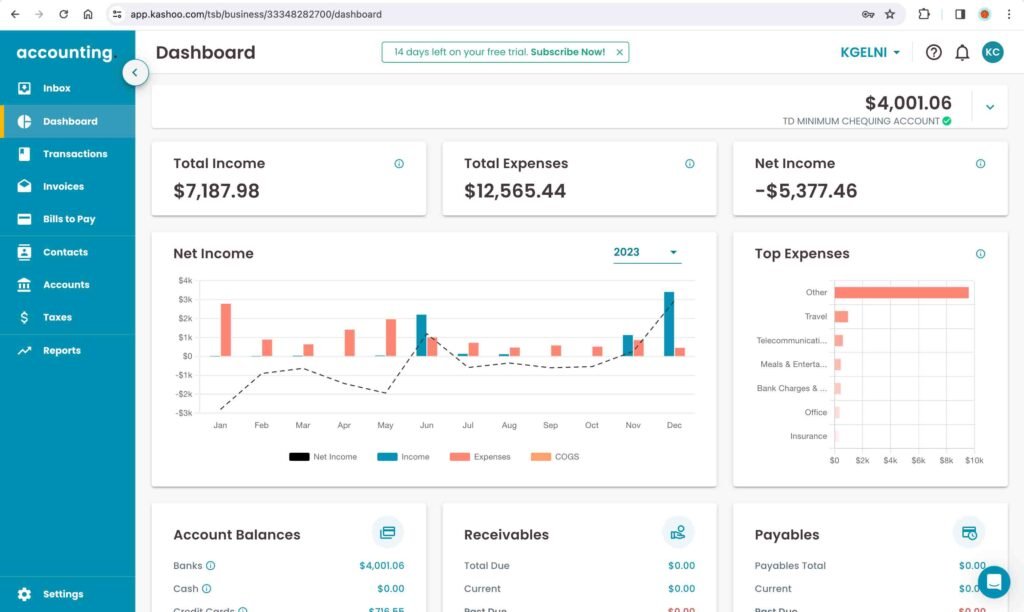
■ Reporting
You can generate financial statements and some basic reports, such as sales tax reports, unpaid bills reports, and unpaid invoices reports.
Pros:
- Provides suggestions for customers and vendors based on imported bank feeds.
- Easy-to-use.
Cons:
- Lacks advanced accounting features, such as credit memos, inventory management, purchase orders, and estimates.
- Limited reports to assess the business.
- No option to record journal entries.
Link to the Site: TrullySmall
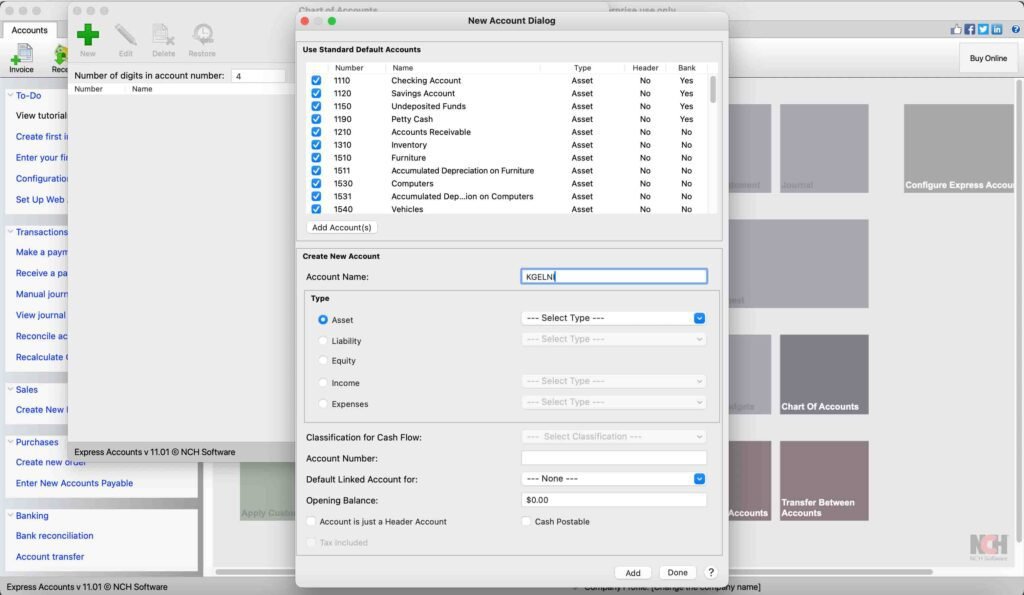
13. Express Accounts
Express Accounts is accounting software that offers completely free desktop versions for both Windows and Mac for non-commercial use only. It also offers a paid version with more features than the free version.
Key Features:
■ Invoice and Quotes
The process for creating an invoice or a quote is convenient and user-friendly. You can select the customers and items from the pre-existing list or add new ones while creating an invoice or a quote. Furthermore, you also have the option to convert a quote or a sales order into an invoice. Additionally, you can add vital information to the invoice, such as the shipment tracking number, courier name, and comments. Last but not least, you can make the invoice recurring and define the appropriate frequency.
■ Inventory Tracking
The software allows inventory tracking across multiple locations with a third-party software, Inventoria.
■ Reporting
There is a wide range of reports for assessing various aspects of a business.
Pros:
- Offers a free desktop version (for non-commercial use only).
Cons:
- No option to connect the bank accounts for automatic feeds.
- Lack of visualizations.
- High learning curve.
- Initial setup of inventory tracking is tedious and time-consuming.
Link to the Site: NCH Software
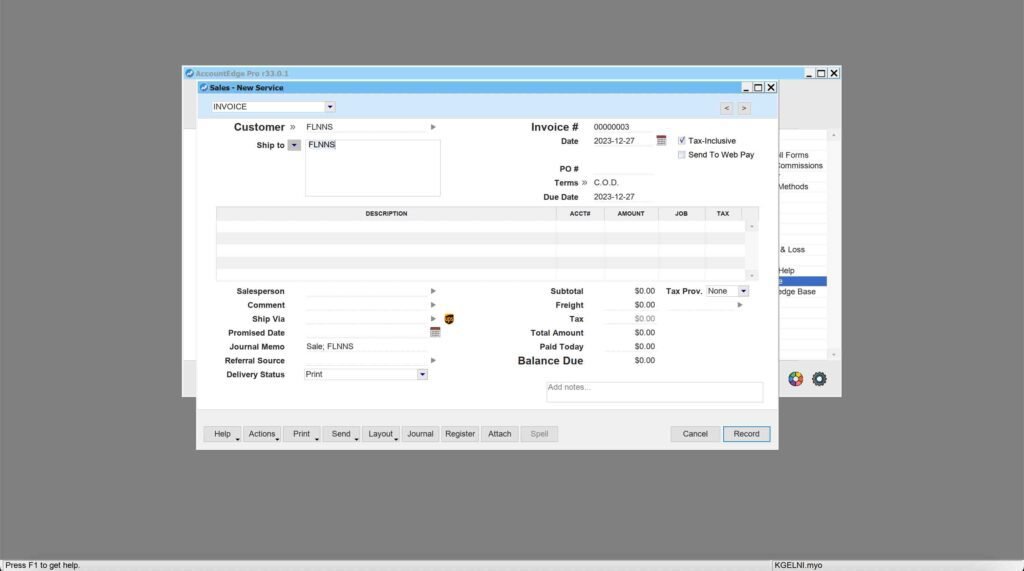
14. AccountEdge
AccountEdge is desktop accounting software available in both Windows and Mac versions. It offers three different plans: AccountEdge Pro, AccountEdge Network Edition, and AccountEdge Hosted.
Key Features:
■ To-Do List
The “To-Do List” features different tabs, such as AR Tab, AP Tab, Discounts Tab, Transactions Tab, and many other tabs. The whole purpose behind this feature is to enable the user to track and manage various actionable items in one centralized location. For instance, you can review the AR tab to identify customers with overdue balances and send them follow-up emails in bulk.
■ Find Function
The Find function lets you search for any transaction, stock item, invoice, bill, and more. Furthermore, you can apply various filters, such as date range, amount range, and ID range, to search for the relevant items or transactions.
■ Reporting
The software provides a wide range of reports related to account balances, banking, sales tax, sales, time billing, purchases, payroll, inventory, and many other metrics. Furthermore, you can customize each report with various filters, for instance, the date range.
■ Analysis Reports
There are various analysis reports to analyze the balance sheet, income statement, cash flow, sales, inventory, and many other metrics.
■ Invoice and Quote Creation
You can add a customer name and items to an invoice from the pre-existing list. You can also add the salesperson’s name, the commission rate, and the shipping method to an invoice.
■ Payroll (Add-On)
You can set up recurring payments for salaries. You can enter hours in timesheets to calculate wages for hourly-paid employees. You can also process the payroll in bulk for all employees after all the necessary information relating to wages, deductions, accruals, expenses, and taxes has been set up. Furthermore, you can also send and email paystubs. Additionally, you can prepare regulatory tax documents to be filed with the relevant tax authorities in your jurisdiction. Last but not least, you can also set up electronic payments for paystubs.
■ Inventory Tracking
You can set up item details, vendor, purchase price, warehouse details, selling price, units of measure, and many other metrics. Furthermore, you can set up different variations of an inventory item, for instance, different colors and sizes of the same T-shirt. You can generate serial numbers and track warranties for any item. Additionally, you can also synchronize your Shopify e-commerce store with the inventory.
Pros:
- Comprehensive inventory tracking.
- Unique “To Do List” feature to track the actionable items.
- Option to add the salesperson and the commission rate to the invoice.
- Extensive range of reports for business assessment and analysis.
Cons:
- High learning curve.
- During the testing, it was noted that the invoice did not have columns for quantity and price.
- Only email support for the two basic plans. Phone support is only available on the higher-end plan.
Link to the Site: AccountEdge
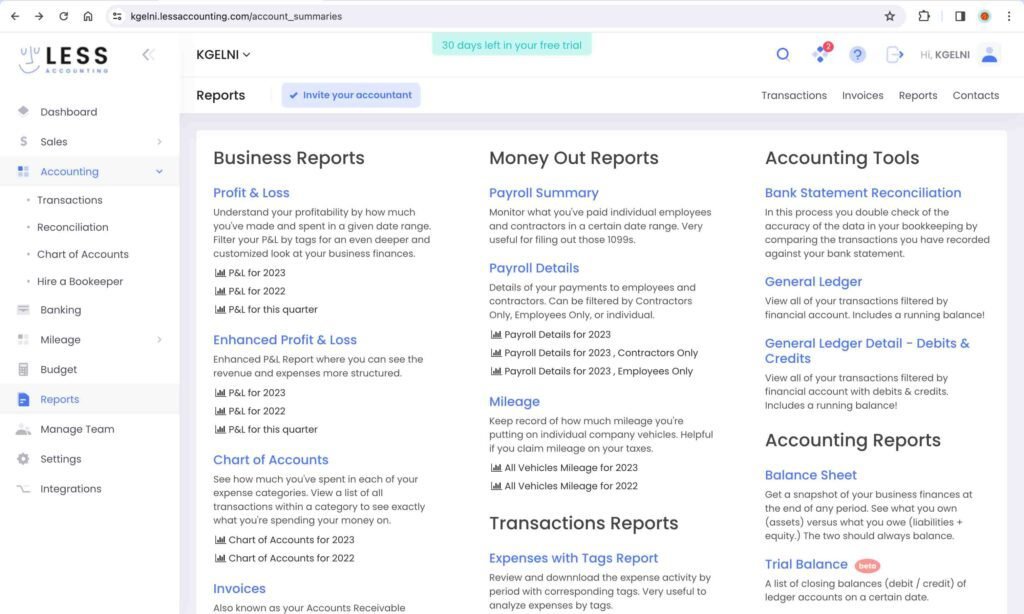
15. Less Accounting
Less Accounting is another online bookkeeping software. The process for creating proposals and invoices is similar to that of any other accounting software. You also have the option to convert the proposals into invoices. It offers the option to create recurring invoices. You can also set up a payment gateway for the invoices. Furthermore, you can also connect your bank accounts for automatic feeds. The software also provides the option to set expense budgets and track actual spending. Additionally, there are various reports for assessing your business. It only offers a paid plan and a 30-day free trial.
Pros:
- User-friendly interface.
- Budget tracking.
- Automated bank account feeds.
Cons:
- No option to create credit notes, refunds, or sales orders.
- No specific feature for inventory tracking.
- No option for project accounting.
Link to the Site: LessAccounting
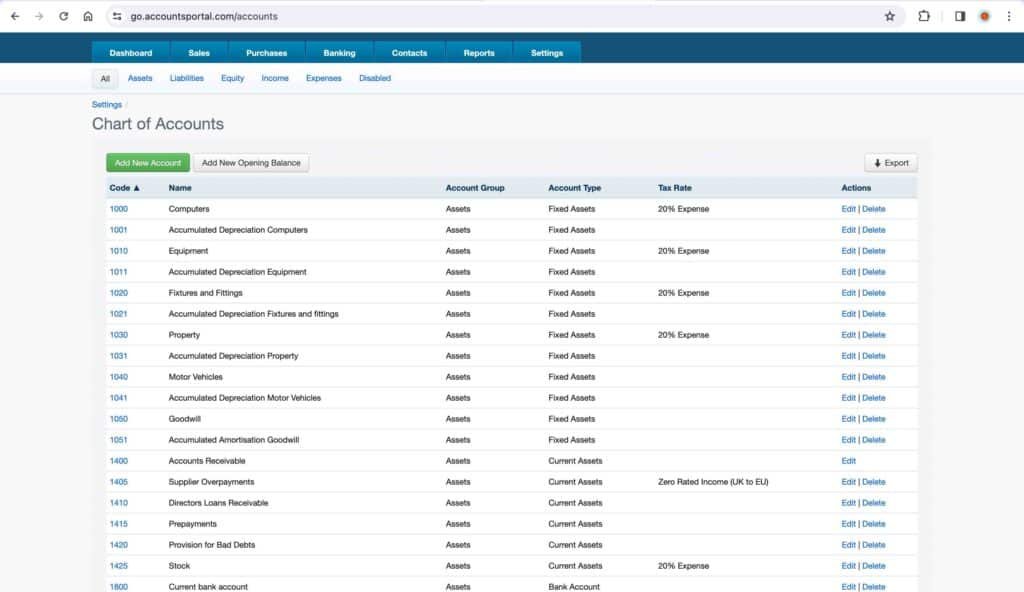
16. AccountsPortal
AccountsPortal is an online accounting and bookkeeping software. There is only one plan at £10 per month. You can create quotes and invoices. There is also an option to link the bank accounts for automatic feeds. Furthermore, you can generate some reports, including the basic financial statements.
Pros:
- User-friendly interface.
- One plan with economical pricing.
Cons:
- Not all banks are supported for automatic feeds.
- No option to add taxes to an invoice.
- Not suitable for advanced accounting needs.
- Limited financial reports.
Link to the Site: AccountsPortal
17. Akaunting
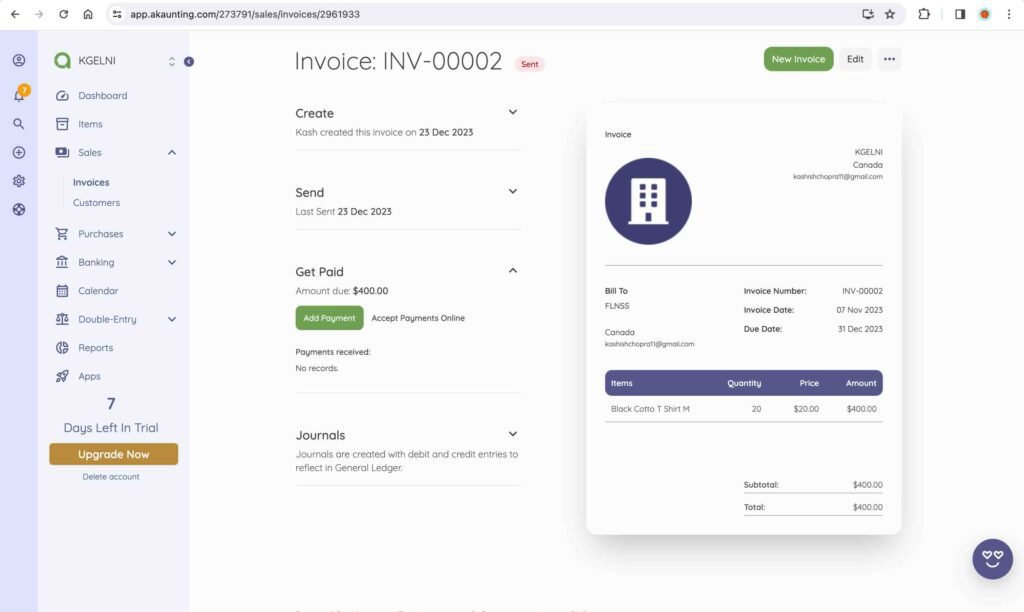
Akaunting offers both desktop and online bookkeeping software. It offers basic accounting features, such as creating estimates, invoices, and manual journal entries. It also offers various reports, including the basic financial statements. The Premium Plan allows you to connect your bank accounts for automatic feeds. Furthermore, you can also enter manual journal entries. The Elite Plan offers additional features, such as payroll, project accounting, and inventory tracking. The Ultimate Plan offers more advanced features, such as credit and debit notes, sales and purchase orders, and budgeting.
Pros:
- User-friendly interface.
Cons:
- Features such as purchase and sales orders, and credit and debit notes are only available in the Ultimate Plan, which is quite expensive (priced at $101 per month). Competitors, such as Quickbooks and Zohobooks offer the same features at a much lower price.
- Limited acceptable file formats for manual import of banking transactions. The acceptable file formats are only XLS and XLSX. Many banks do not offer these formats.
- Limited reports.
- No option to create recurring invoices and bills.
Link to the Site: Akaunting
18. Brightbook
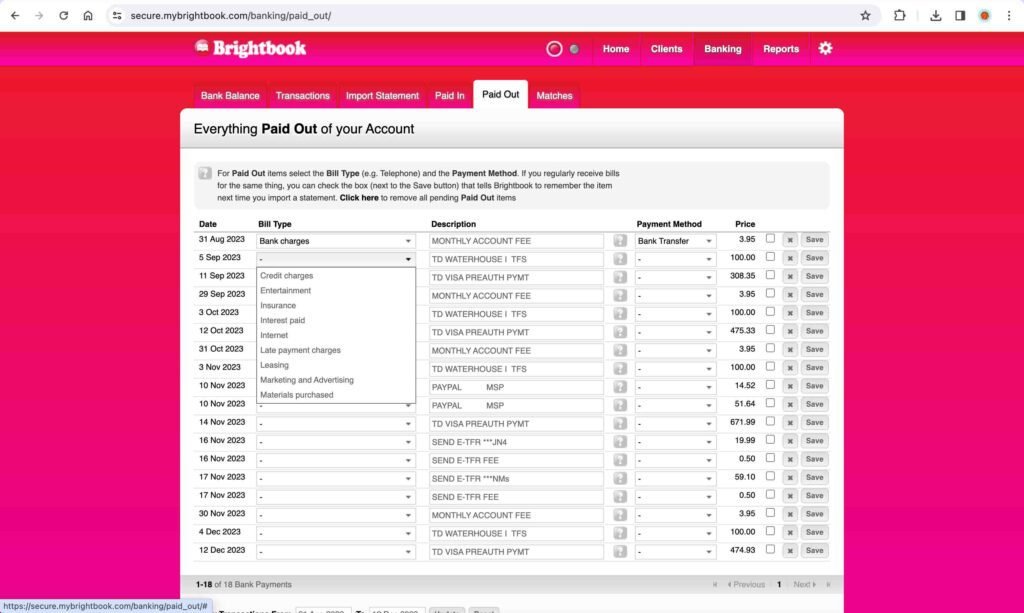
Brightbook is a completely free bookkeeping software for small businesses. You can create quotes and invoices, convert quotes into invoices, import banking transactions, and issue refunds or credit notes. Furthermore, you have the option to create recurring invoices. Additionally, you can run various reports for business assessment.
Pros:
- Completely free tool.
- User-friendly interface.
Cons:
- No option to add custom accounts or create a chart of accounts.
- No option to connect bank accounts for automatic feeds.
- No Balance Sheet report. Limited reports.
- No option to set up custom taxes.
Link to the Site: BrightBook
19. GnuCash
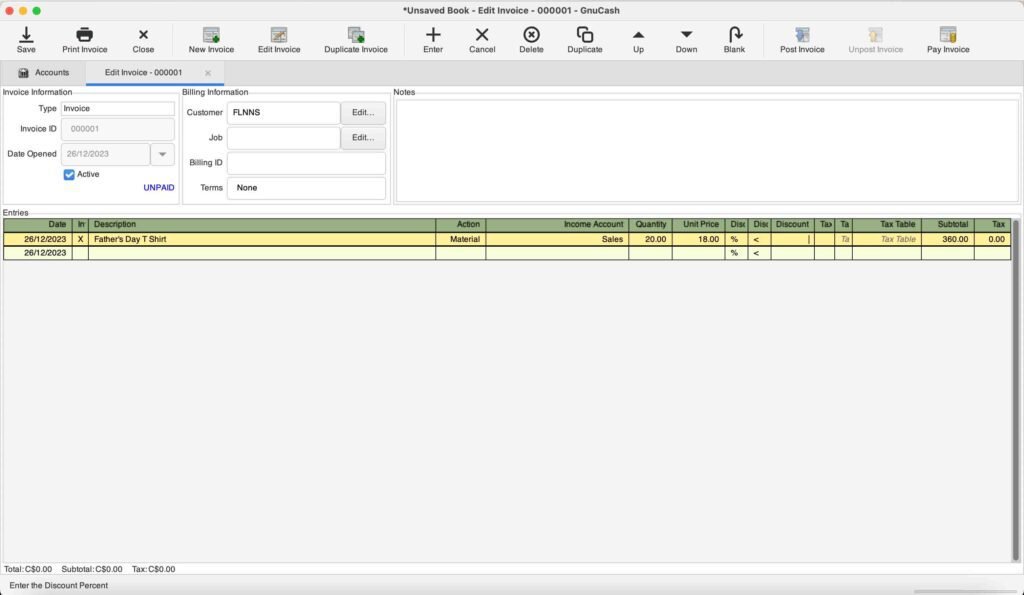
GnuCash is a completely free desktop accounting and bookkeeping software that offers both Windows and Mac versions. You can create invoices and vendor bills, schedule recurring transactions, set budgets, and import Excel transactions. Furthermore, you can run a wide range of reports, including the basic financial statements in the software.
Pros:
- Completely free.
Cons:
- Highly manual bookkeeping. For instance, there is no option to create an estimate and convert it into an invoice.
- No option to link bank accounts for automatic feeds.
- No specific feature to track inventory.
- No option to send an invoice to a customer or add a “pay button” to an invoice.
Link to the Site: GnuCash
20. FreeAgent
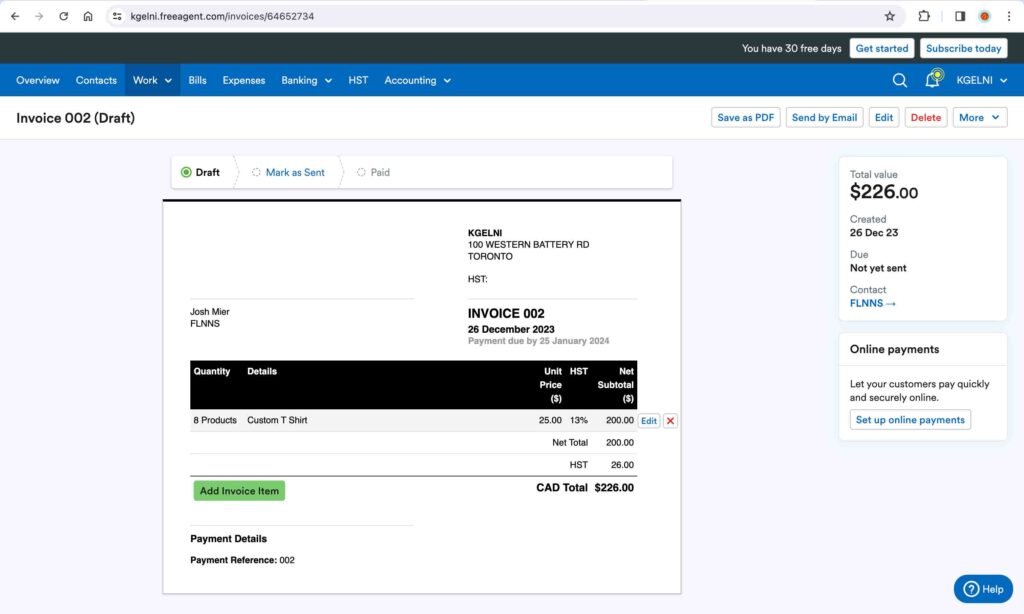
FreeAgent is an online accounting and bookkeeping software. The estimates and invoice creation are intuitive and similar to any other accounting software. You have the option to create recurring invoices. Additionally, you can comprehensively track any project by setting the budgeted hours and applying the invoices to the projects.
Pros:
- User-friendly interface.
Cons:
- Not all banks are supported for automatic feeds.
- No specific feature for inventory tracking.
- Limited reports.
Link to the Site: FreeAgent